QuickBooks Online vs Desktop (2026): Which One Should You Choose?
A plain comparison of QuickBooks Online and QuickBooks Desktop: features, pricing model, who each one suits, and how to decide in five minutes.
Published September 22, 2026 · QB Desktop Store
In this guide
QuickBooks comes in two very different families. QuickBooks Online runs in your browser and bills monthly. QuickBooks Desktop installs on a Windows PC or Mac and, in the Enterprise line, bills annually. Same brand, different products, and the wrong pick costs you a migration later.
Here is how they compare on the things that actually decide it.
The short answer
- Choose QuickBooks Online if you want to work from anywhere, have a bookkeeper who logs in remotely, and your business is straightforward: invoices, expenses, bank feeds, basic reports.
- Choose QuickBooks Desktop if you need advanced inventory, job costing, industry-specific reports, very large company files, or you simply prefer software that lives on your own machine.
Feature comparison
| QuickBooks Online | QuickBooks Desktop | |
|---|---|---|
| Where it runs | Browser and mobile app | Windows PC or Mac |
| Billing | Monthly subscription | Annual (Enterprise); legacy Pro/Premier/Mac are subscription too |
| Users | 1 to 25 depending on plan | 1 to 40 (Enterprise) |
| Inventory | Basic (Plus and Advanced) | Advanced: multi-location, barcodes, serial and lot numbers, assemblies |
| Job costing | Limited | Full, with industry editions for contractors and manufacturing |
| Reports | About 80 to 150 | 200+, highly customizable |
| Bank feeds | Built in, automatic | Built in |
| Access for accountant | Instant, online | Send a copy or use hosting |
| Offline use | No | Yes |
| Updates | Automatic | Included with subscription |
Where QuickBooks Online wins
Anywhere access. Your phone, your laptop, your accountant’s office. Nothing to install, nothing to back up.
Integrations. Hundreds of apps connect directly: payment processors, e-commerce platforms, CRMs, time tracking.
Lower entry price. Simple Start is a fraction of an Enterprise licence. For a freelancer or a small service business, Online is almost always the better deal.
Where QuickBooks Desktop wins
Inventory and manufacturing. Desktop Enterprise handles assemblies, multiple warehouses, bin locations, barcode scanning and landed cost. Online does not come close.
Complex reporting. Desktop has more reports, deeper customization and better job-costing views. Accountants who grew up on Desktop often refuse to leave it for this reason.
Speed on large files. A company file with years of history and tens of thousands of transactions stays quick on Desktop. Online can feel slow at that scale.
Data stays with you. Your file sits on your own computer or server. Some businesses require that.
Pricing model, in one paragraph
Online is a monthly fee per plan, from roughly $38 to $275 a month at the time of writing, with payroll and extra users adding more. Desktop Enterprise is an annual subscription that starts around $1,900 a year for one user on the Silver tier and rises with users and tiers. Over three years for a five-user business with inventory needs, the two often end up closer than people expect. See our QuickBooks Desktop pricing guide for the full picture.
Can you switch later?
Yes, in both directions, but it is work. Intuit provides a tool to move Desktop to Online, and it handles lists and balances well but not every transaction detail. Moving Online to Desktop is harder. Pick carefully now and you avoid the exercise.
Our recommendation
Ask yourself two questions:
- Do I need advanced inventory, job costing or an industry edition? If yes, Desktop.
- Do several people need to work in the file from different places every day? If yes, Online, unless you also answered yes to question one, in which case Desktop with hosting.
Still unsure? Send us a message on WhatsApp with your business type and team size and we will tell you which edition fits.
Need help choosing?
Tell us your business size and what you need. We'll recommend the right edition, no obligation.
Ask on WhatsAppDesktop Enterprise in our shop
 Save $20
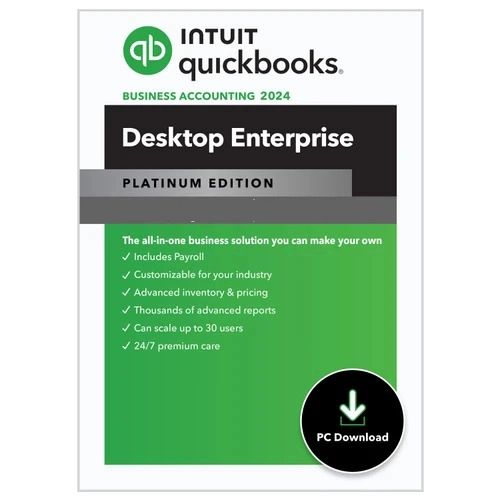
 QuickBooks Desktop Enterprise Platinum 2024 for Windows | 1 User | US Version
QuickBooks Desktop Enterprise Platinum 2024 is an advanced accounting and business management solution designed for growing businesses that
Save $20 QuickBooks Desktop Enterprise Platinum 2024 for Windows | 5 Users | US Version
QuickBooks Desktop Enterprise Platinum 2024 is an advanced accounting and business management solution designed for growing businesses that
More guides
How Much Does QuickBooks Cost? Online, Desktop and Payroll Prices Compared
All QuickBooks prices in one place: QuickBooks Online plans, Desktop Enterprise tiers, Payroll, Time and Payments, with the extras Intuit doesn't show up front.
QuickBooks Desktop 2024 System Requirements (Windows and Mac)
Everything your PC or Mac needs to run QuickBooks Desktop 2024 and Enterprise 24.0: operating system, processor, RAM, disk, display, server and browser requirements.
QuickBooks Desktop Enterprise Explained: Silver vs Gold vs Platinum vs Diamond
What each QuickBooks Desktop Enterprise tier includes, who it's for, and how to pick between Silver, Gold, Platinum and Diamond without overpaying.